JUMP TO SECTION
Inquiry / Booking Request / Instant Booking / Pro Active Offer / Creator Confirmed Booking
Spacewise gives you flexibility in how your spaces are leased online. Depending on your business model and preferred level of control, you can choose between three leasing workflows for your listings.
The workflow is selected when creating a listing, but can be updated at any time.
To change a workflow for an existing listing:
Listings → Select Listing → Edit → Visibility & Conversion
1. Inquiry Workflow
Best for teams that want full control over incoming requests.
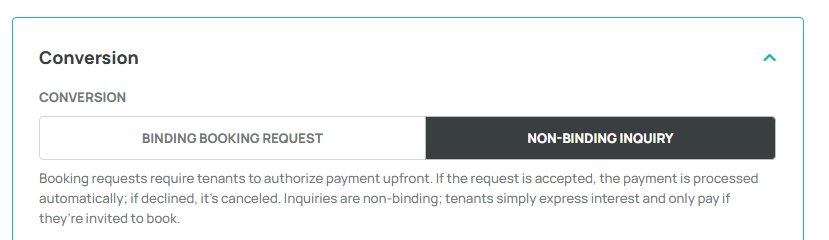
With the inquiry workflow, tenants can submit a non-binding inquiry about a space. Your team can review the request and decide whether to follow up with a booking invitation or further discussion.
Setup
- Open Listing
- Go to Visibility & Conversion
- Under Booking Type, select Non-binding inquiry
- Click Save
2. Booking Request Workflow
Best for teams that want booking intent, but manual approval.
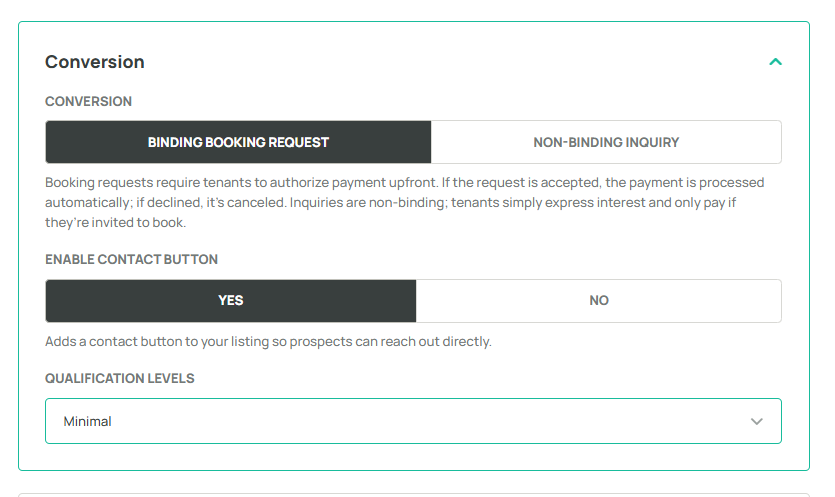
With this workflow, tenants can submit a binding booking request. Your team reviews each request and decides whether to accept or decline the booking.
Setup
- Open Listing
- Go to Visibility & Conversion
- Under Booking Type, select Binding booking request
- Click Save
3. Instant Booking Workflow
Best for teams want a fully automated booking experience.
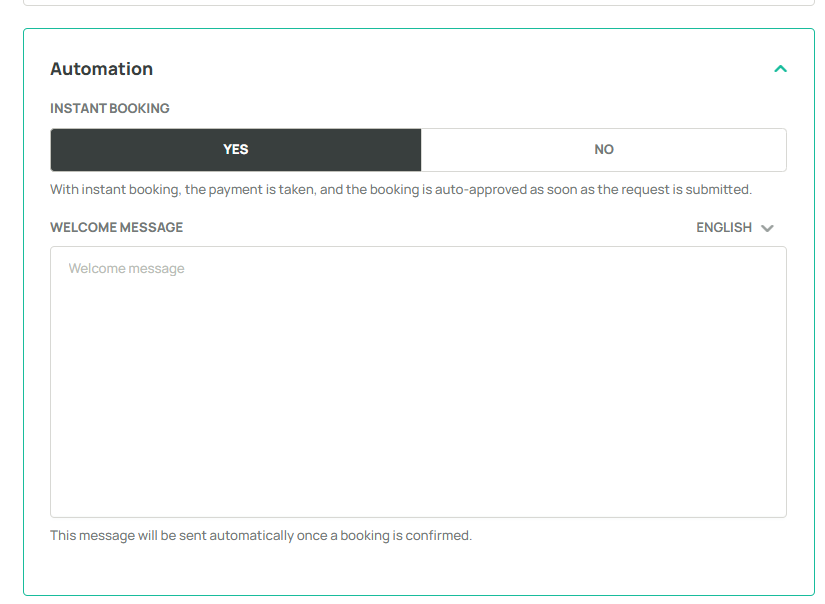
With instant booking enabled, bookings are automatically confirmed as soon as the tenant completes the booking process, without manual review.
Setup
- Open Listing
- Go to Visibility & Conversion
- Enable Instant Booking Automation
- Click Save
4. Pro Active Offer
Best for landlords who want to proactively approach potential tenants.
Instead of waiting for incoming inquiries, landlords can initiate the leasing process by sending booking offers or invitations directly to selected tenants. This allows leasing teams to actively market available spaces and engage relevant prospects.
5. Creator Confirmed Booking
Best for landlords who manage bookings directly or finalize leasing agreements outside the platform.
Landlords can create and confirm bookings directly in Spacewise without requiring tenants to submit a booking request first. This simplifies the management of bookings agreed upon through other channels and keeps booking records centralized.
 | Find more information about creating listings. Find more information about responding to inquiries and requests. | |
Was this article helpful?
That’s Great!
Thank you for your feedback
Sorry! We couldn't be helpful
Thank you for your feedback
Feedback sent
We appreciate your effort and will try to fix the article